Navigate the ANPD Website
New to ANPD or a MyANPD account? Here's some step-by-step instructions for navigating through different parts of our website. We're here to help! Contact us as info@anpd.org
Join and Create a Member Account
Join ANPD and create a member account
Learn more about the features of ANPD membership.
- A new browser tab will open and ask for you to Join ANPD.
- Proceed to enter your First Name, Last Name, and the email address you would like to use for your account. When you log in to your account, your username will be the email address you enter here.
- Then, click on the button that says “Join ANPD or Create a Guest Account”.
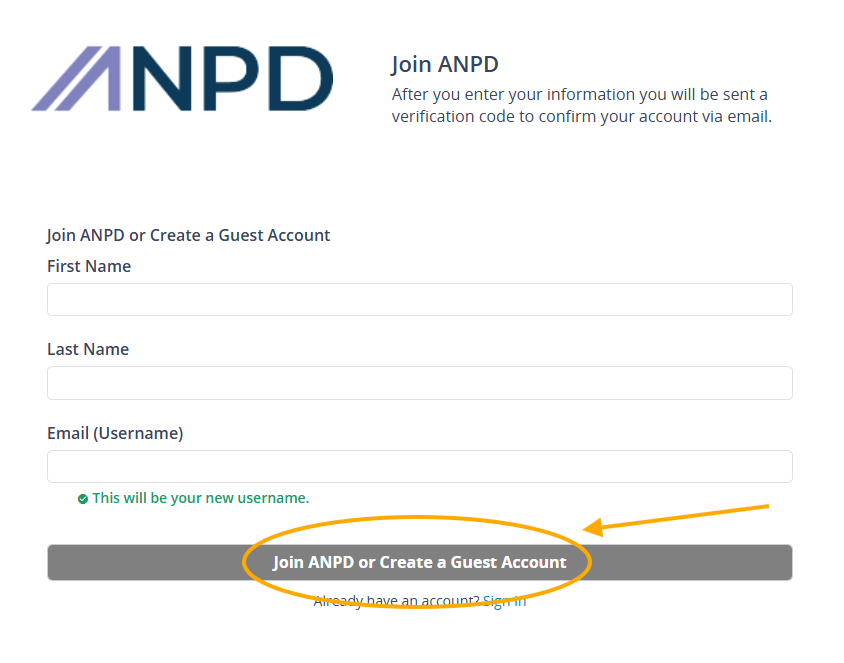
- After you enter your information, you will be sent a verification code to confirm your account via email. The email will be delivered from noreply@verificationemail.com. Check your spam or junk mail if you don’t see it.
- Once you receive and enter your verification code, you can proceed to provide account details.
- Follow the prompts to purchase membership/partnership and proceed to check out. You may provide payment by credit card or select pay later option to pay by check. If you elect to pay by check, you will not receive full benefits until your membership/partnership is approved.
Create a Guest (Non-Member) Account
Create a guest account
- A new browser tab will open and ask for you to Join ANPD.
- Proceed to enter your First Name, Last Name, and the email address you would like to use for your account. When you log in to your account, your username will be the email address you enter here.
- Then, click on the button that says “Join ANPD or Create a Guest Account”.
- After you enter your information, you will be sent a verification code to confirm your account via email. The email will be delivered from noreply@verificationemail.com. Check your spam or junk mail if you don’t see it.
- Once you receive and enter your verification code, you can proceed to provide account details.
- Follow the prompts to create a guest account - do not select the option to purchase membership/partnership.
Log In to Your MyANPD Account
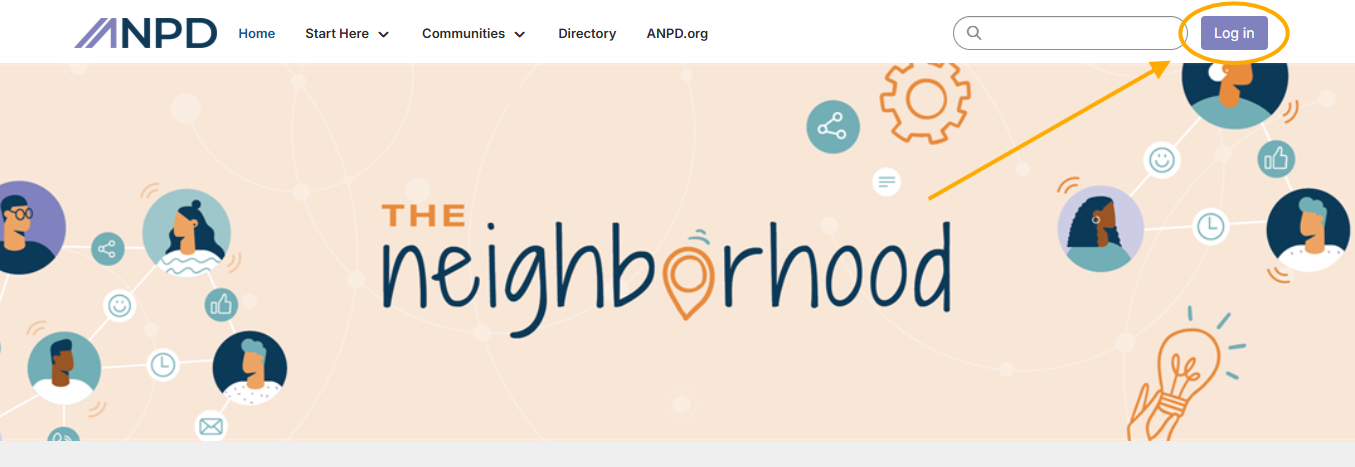
If you’ve already created a MyANPD account, you can log in from the ANPD website. Click on the Login button in the upper right corner of your screen.

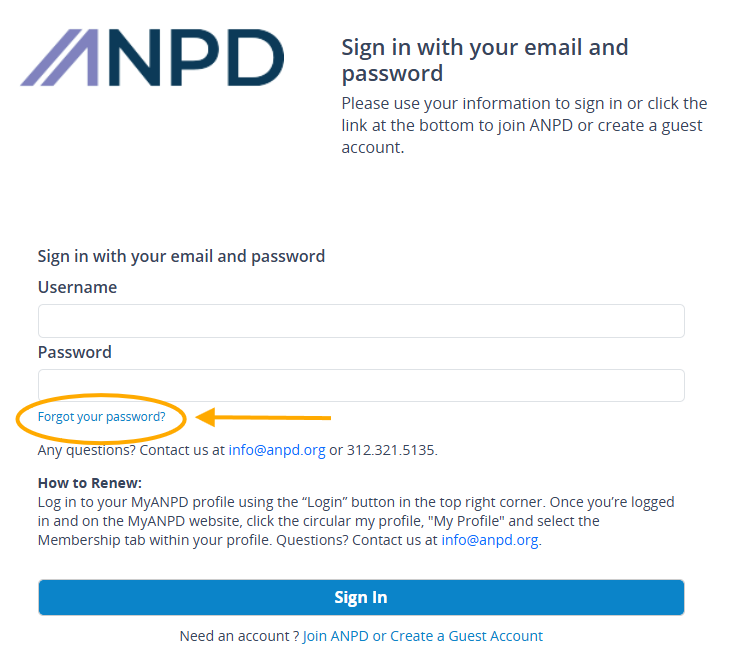
This will take you to a page that asks you to sign in with your email and password. Enter this information, and click the Sign In button.
Update Your Account Information
Need to update basic account information like your name, phone number, address, or email address?
Please log into the ANPD website using the instructions above.
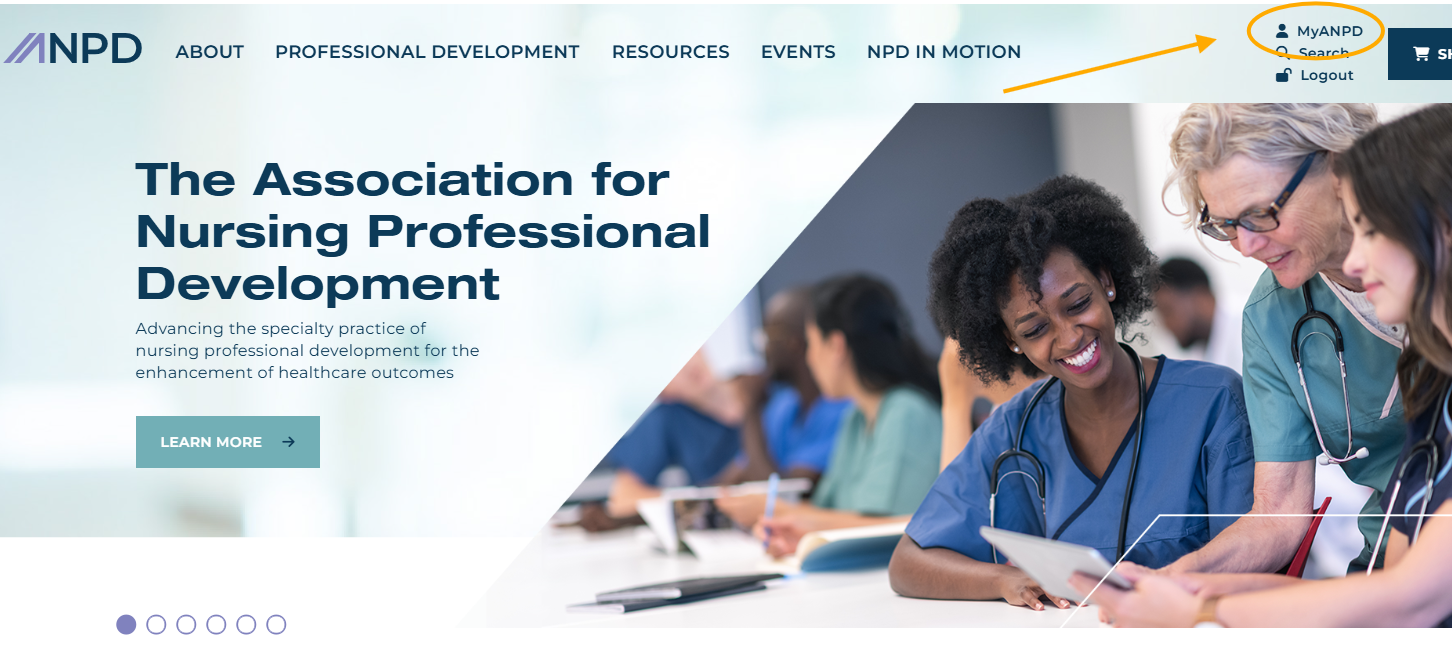
Once logged in, please click on the “My ANPD” button in the top right corner of your screen. (The “MyANPD” option will not show up if you are not logged in to your account.)
This will bring you to your My ANPD page. In the top right corner, click on the text that says, “Hi, [Your Name]”.
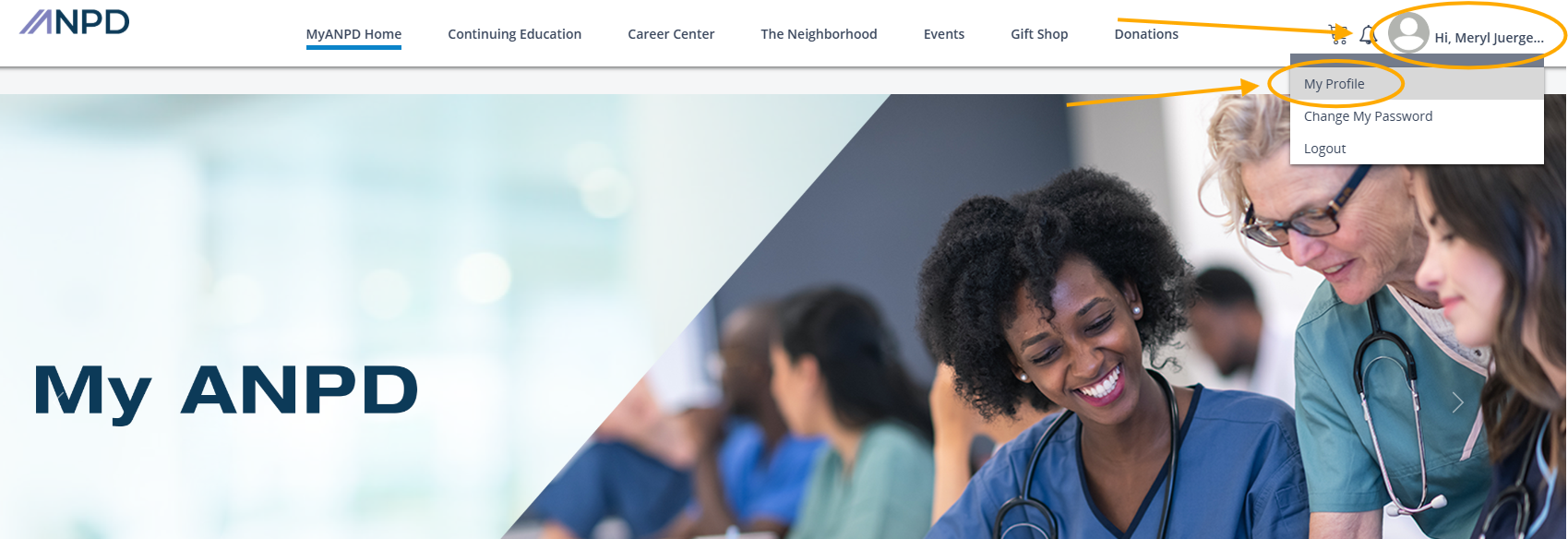
This will open a dropdown menu with a few options. Clicking on “My Profile” will bring you directly to the “My Info” page where you can edit your information.
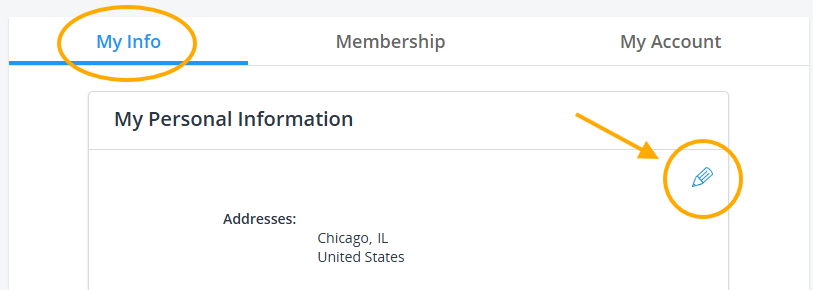
On the “My Info” page, please click the pencil button to start editing.
After any edits you make to your account information, be sure to scroll down to the bottom of the page and click the “Update” button to save your changes.
Reset Your Password
Forgot your password, or need to reset it? Follow the steps shown above to go to the Log In page. Once there, click on the text below the Password entry box that says “Forgot your password?”
This will take you to the Password Reset screen. Enter your email address (the one you used to sign up for your MyANPD account), and click the “Reset my password” button.
Check your email, you will receive instructions on how to reset your password.
Disclaimer: If your organization has blocked emails from the ANPD, you will not receive a password reset email in your inbox. Check the spam/junk folder of your email.
If you need assistance with resetting your password, reach out to info@anpd.org
Log In to the Continuing Education Center
The ANPD Continuing Education Center (CEC), can be accessed at www.learn.anpd.org.
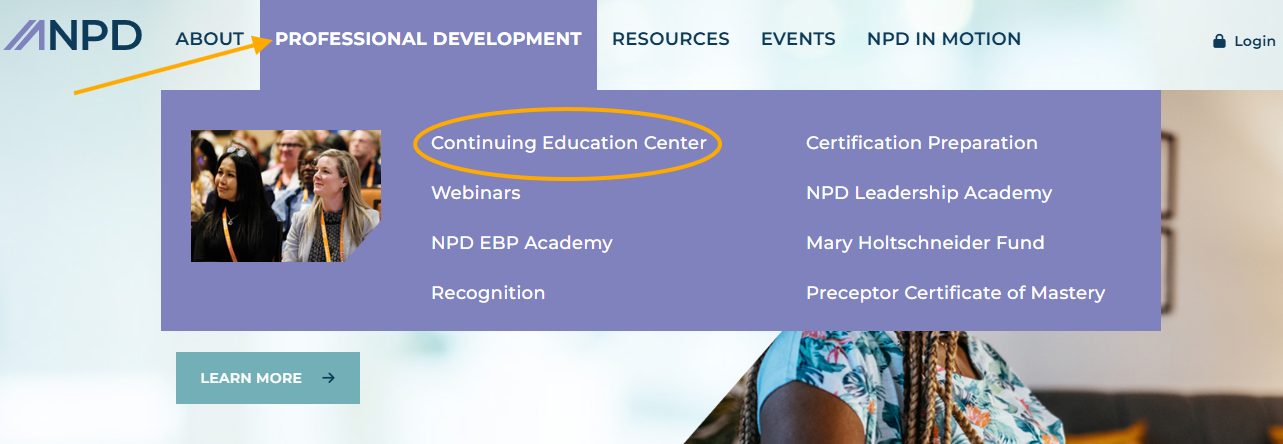
If you’re on the ANPD website, you can also access the CEC by hovering your mouse over the Professional Development tab at the top of the screen, and clicking on “Continuing Education Center.”
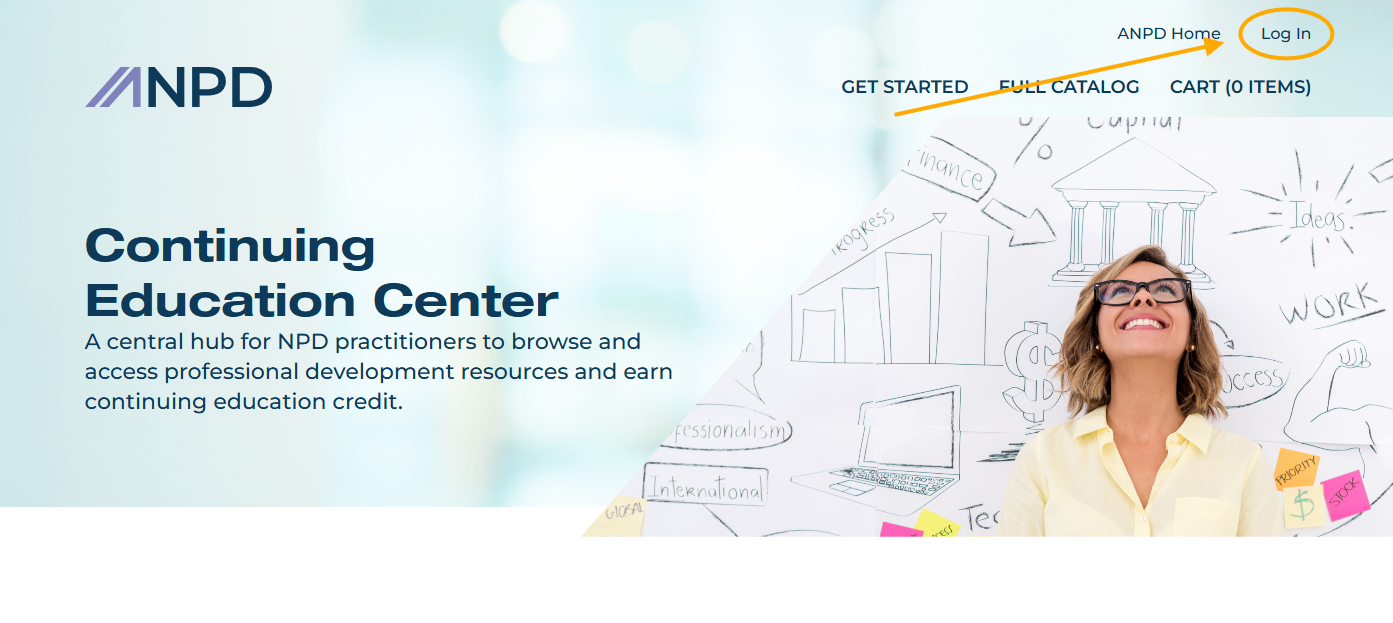
To log in to your account on the CEC, click “Log In” in the upper right corner of your screen, and use the same email and password that you use to log in to your MyANPD account.
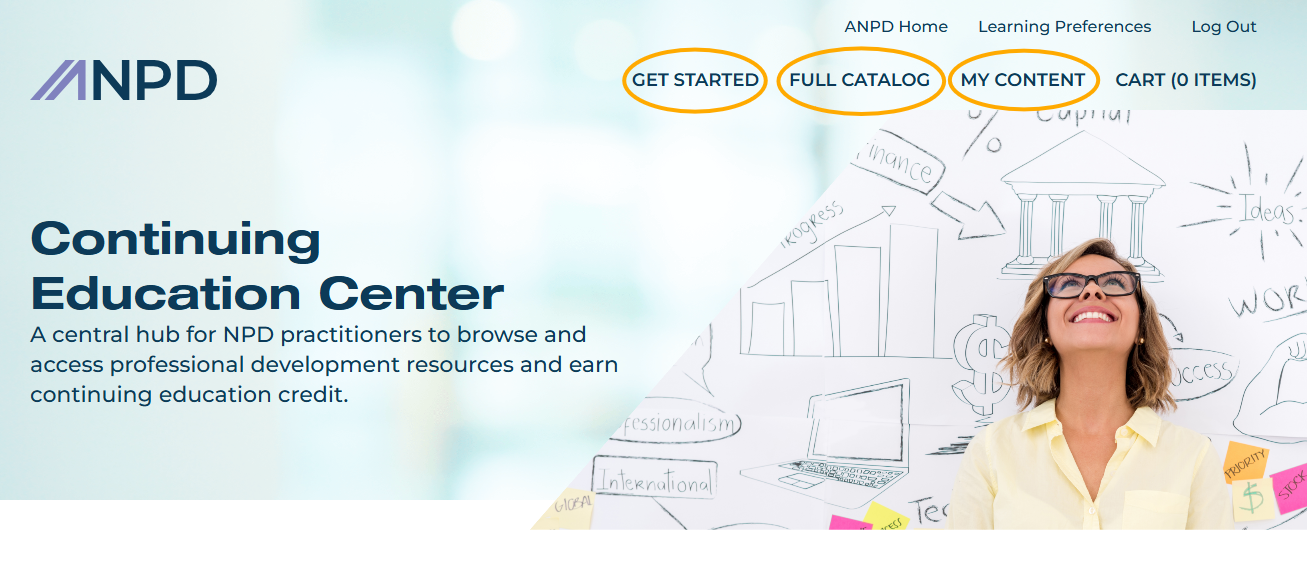
After logging in to the Continuing Education Center, you can:
- Click on “Get Started” to find information on continuing education and frequently asked questions about the CEC
- Click on “My Content” to find any educational offerings you’ve purchased or registered for
- Click on “Full Catalog” to filter and search through all of the ANPD’s educational offerings
Log In to The Neighborhood
If you have a member account, you can access The Neighborhood, a members-only community where NPD practitioners share advice and insights at www.neighborhood.anpd.org
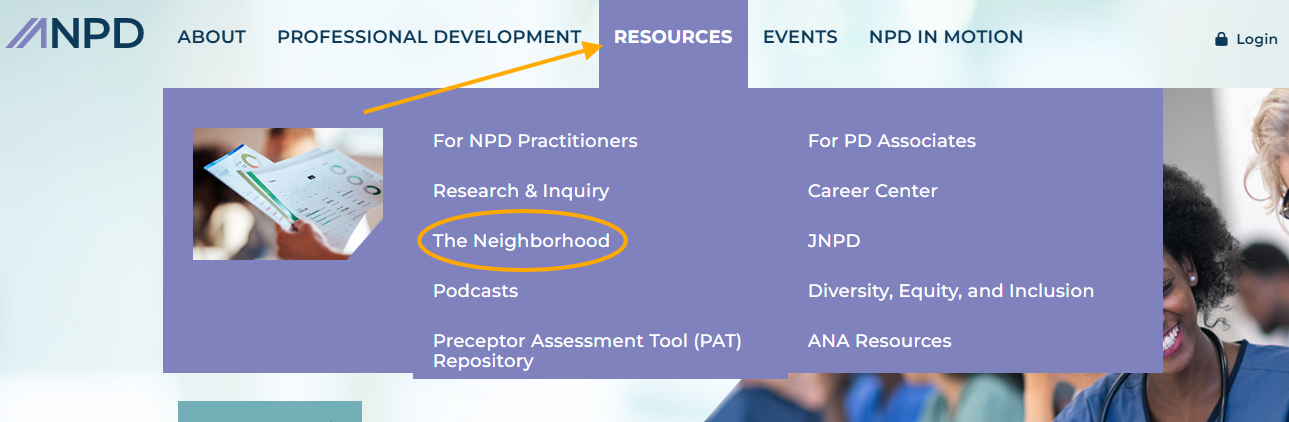
If you’re on the ANPD website, you can also access The Neighborhood by hovering your mouse over the Resources tab at the top of the screen, and clicking on “The Neighborhood.”
To log in to The Neighborhood, click on “Log In” in the upper right corner of your screen, and use the same email and password that you use to log in to your MyANPD account.